For Film Professionals
Stop Guessing Your Shutter Speed
ShutterFinder detects light flicker instantly and tells you the exact shutter speed to eliminate it. Point, measure, done.
For Film Professionals
ShutterFinder detects light flicker instantly and tells you the exact shutter speed to eliminate it. Point, measure, done.
The problem
LED panels, fluorescent tubes, HMI lights, monitors — they all flicker. You can see it right on set: banding and rolling bars on your monitor. But finding the shutter speed that gets rid of it is trial and error — cycling through values on your camera until the bands disappear, while everyone waits.
The ShutterFinder way
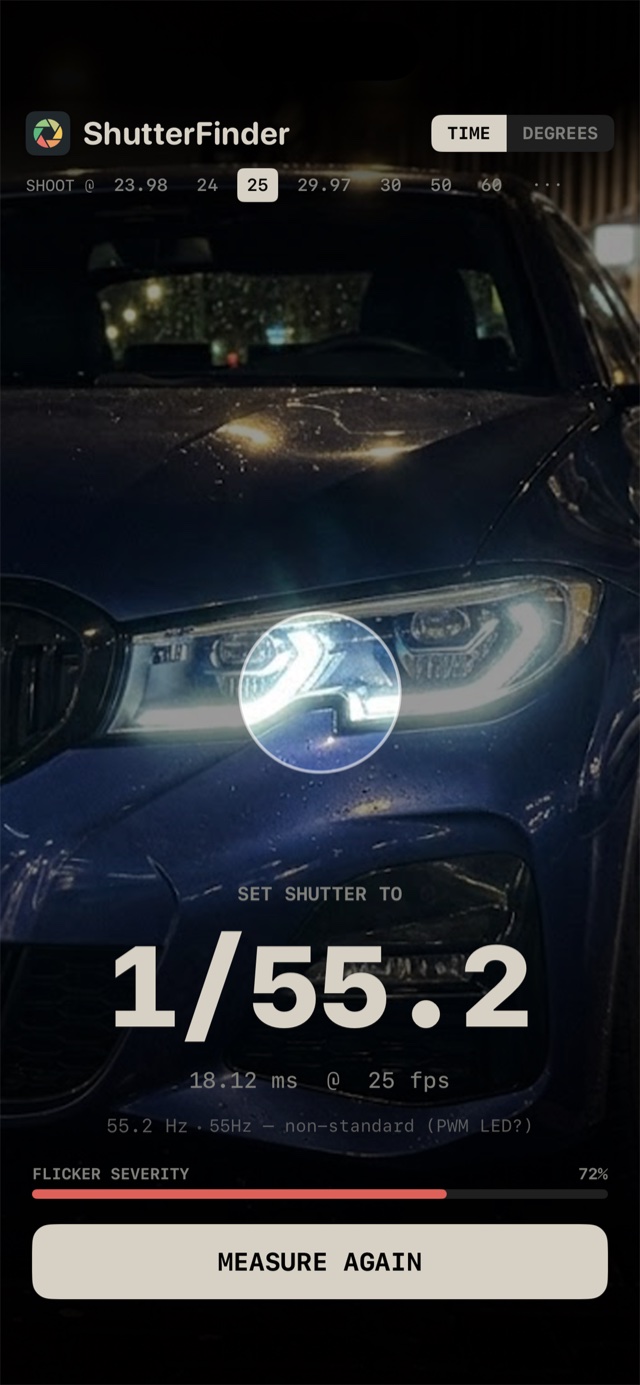
Point your iPhone at any light source and tap MEASURE. ShutterFinder uses 240fps high-speed capture and real-time FFT analysis to detect the exact flicker frequency. Within seconds, you know the optimal shutter speed.
Precision
Real-time spectral analysis pinpoints the exact flicker frequency — anywhere from 40 to 500 Hz — and identifies the source: 50/60Hz mains, PWM LED, HMI. Change your frame rate after measuring and the recommendation updates instantly.
Flexibility
All common shooting frame rates — 23.98, 24, 25, 29.97, 30, 50 and 60 fps, plus custom input. Read the result as shutter speed (1/50) or shutter angle (180°) with one tap.
How it works
No menus, no settings. Three seconds to flicker-free footage.
Aim your iPhone at the flickering light — LED panel, tube, HMI, or monitor.
Tap MEASURE. The app stops automatically once it has a confident reading.
Dial in the recommended shutter speed and roll, flicker-free.
Download ShutterFinder and eliminate flicker from your shoots — before you roll.
Download on App StoreRequires iPhone XS or later with iOS 17.0+